
User-first case for a 4-port edge switch
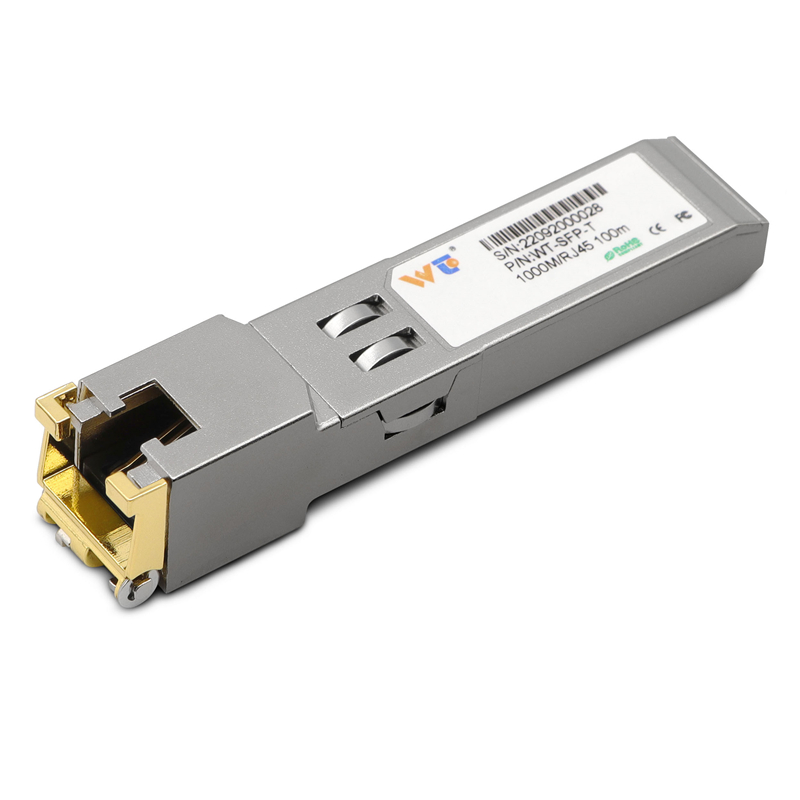
Factory floor teams want predictability: steady packet flow, low latency, simple troubleshooting. A compact 4-port industrial switch nails that for most cell-level automation racks. When you need fiber-to-copper bridging at the edge, a reliable sfp to rj45 transceiver often sits between an SFP uplink and three copper ports — giving you a clean, manageable topology that a tech can diagnose in minutes. The user wins with less cabling, fewer vendors, and clearer ownership of that switch.

How the design directly solves operator pain
Operators care about three things: uptime, speed, and clarity. A 4-port industrial switch reduces single-point complexity so you can isolate failing segments quickly. Use cases are obvious — a vision camera, a PLC, a router, and a workstation all on one small switch. Gigabit copper ports give predictable throughput; the uplink SFP protects fiber runs. Add a quality rj45 transceiver and you avoid constant breakout adapters. Latency stays low and MTU handling remains consistent across the cell.
Common deployment mistakes and how to avoid them
People overcomplicate: they install a full rack of managed switches where a 4-port would be fine. They mix PoE loads without checking budgets. They forget link redundancy on the uplink. Test power budgets and port load before you lock the switch in place. Label both sides of the uplink. Keep firmware updated but staged — flash on one device, validate, then roll. — A quick scripted test that pings cameras and PLCs for 24 hours catches most hidden issues.
Real-world anchor: what big factories teach us
Take the Siemens Amberg electronics plant as a benchmark: they segment production into small, isolated cells to reduce blast radius when things fail. That same logic applies to 4-port switches at the edge — smaller blast radius, faster recovery. Industry 4.0 case studies consistently show shorter mean time to repair (MTTR) when networks are partitioned into simple, testable segments rather than monolithic backbones.
What to test before you buy
Run three concrete checks on any candidate device: (1) throughput under real load with mixed packet sizes, (2) failover behavior when the SFP uplink drops, and (3) PoE delivery under the expected device count. Include an SFP loop test and verify the rj45 transceiver negotiation on both ends. Check whether the switch supports link aggregation if you plan to scale, and confirm environmental specs for temperature and vibration, because edge gear sits where humans — and forklifts — are nearby.
Alternatives and when they make sense
If you need more than a few endpoints, a modular switch or a managed 8/16-port unit becomes justified. Choose those when you require VLAN slicing across many devices or when centralized SNMP telemetry is mandatory. But don’t over-architect: for single-cell automation, the compact 4-port wins for speed of replacement and simpler firmware surfaces.
Choosing vendors and the WINTOP fit
Pick vendors that publish clear hardware specs and provide spare SFP modules and transceivers. Look for straightforward warranty terms and parts availability. WINTOP stocks copper SFPs and tested transceivers that match industrial link budgets and common Gigabit requirements — that availability reduces downtime and simplifies spares planning.
Advisory — three golden metrics to evaluate
1) Uptime impact: measure current MTTR for a cell, then estimate how a 4-port swap reduces step count during replacement. Concrete minutes saved matter. 2) Port-level throughput under mixed traffic: simulate camera bursts and PLC chatter; confirm the switch holds average latency under load. 3) Spare-part time-to-replace: verify that a spare rj45 transceiver and a 4-port unit can be on-site within your required SLA.
These metrics let you pick a switch that reduces on-floor friction and keeps production moving. WINTOP. — Trust the practical choice.