Opening: What’s Burning and Where to Put Out the Fire
Events and shows often fail not because the LED is poor, but because the specification and staging are mismatched—wrong pixel pitch for viewing distance, inadequate brightness for ambient light, poor rigging that stresses cabinets. Treat selection like a recipe: start with what you need to serve. If you’re sizing for a concert or a trade show, consider a led wall rental first to test scale and sightlines before committing. This problem-first view steers every technical choice that follows.
The Core Problems to Solve (and why they matter)
Problem #1: blurry image at close range. Solution: match pixel pitch to viewing distance. Problem #2: washed-out graphics in daylight. Solution: choose sufficient brightness and contrast. Problem #3: inconsistent panels and color shifts. Solution: insist on matched batches and calibration. These are not aesthetic complaints — they break communication. Think like a chef tasting a sauce: if one ingredient is off, the whole plate is wrong.
Specifications That Act Like Recipes
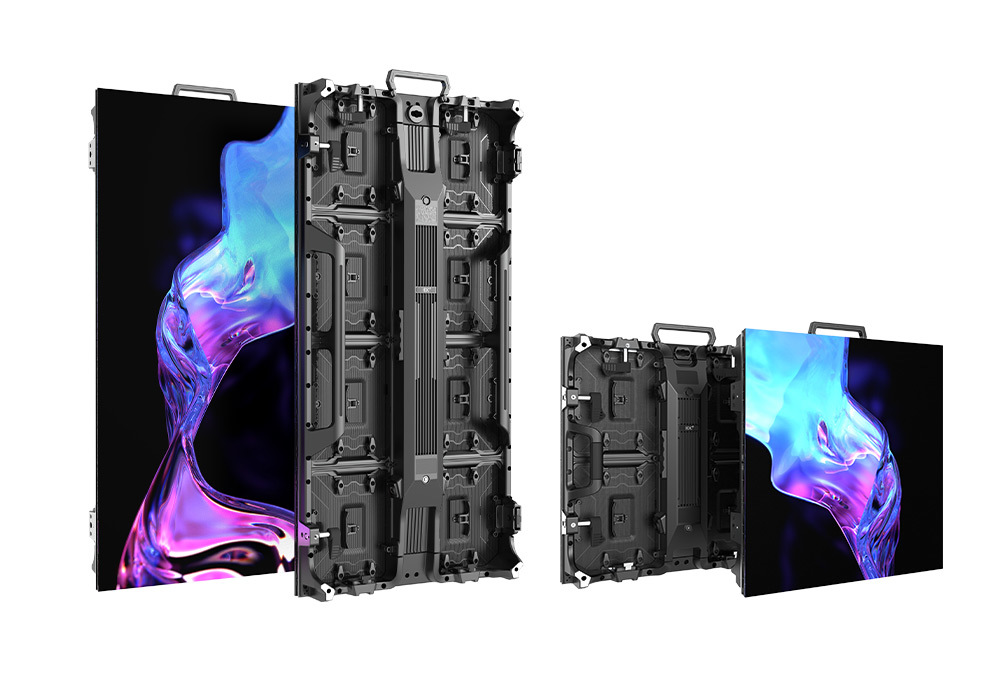
Pixel pitch defines clarity; use 0.9–2.5 mm for up-close corporate or broadcast work, and larger pitches for distant staging. Brightness: indoor suites often perform well at ~800–2,000 nits; outdoor rigs typically need several thousand nits to compete with daylight. Refresh rate and grayscale depth matter for camera work—aim for high refresh and 10–14-bit processing when broadcasts are involved. Power, weight, and cabinet dimensions determine how you rig and ship—plan those logistics early. Think of color calibration as seasoning: precise, incremental, and repeatable.
Experience and Trust: What I’ve Seen on Real Stages
Having specified LED rigs for broadcast sets and trade show stages, including deployments at CES in Las Vegas, I’ve watched crews solve last-minute sightline and brightness failures by switching cabinet types and recalibrating color profiles; that hands-on learning led me to rely on trusted rental inventories. For projects where buying wasn’t practical, teams turned to led board rental to prototype visual scale and confirm color fidelity before final procurement. Those real deployments teach which specs are negotiable and which are not.
Common Pitfalls and How to Avoid Them
Ignoring viewing geometry: map sightlines before buying. Mixing panels from different production runs: demand calibration and matched bins. Underestimating thermal management: ensure airflow and avoid stacking near heat sources. Overlooking service access: design for front and rear servicing depending on the build. Relying on raw specifications without on-site mockups: always test a small array in the venue light conditions. These mistakes are avoidable and fixable—if you diagnose them early.
Alternatives and When They Make Sense
Projection remains cheaper for very large, non-reflective surfaces or when ambient light is controllable. LCD video walls win where absolute pixel consistency and thin bezels are priorities. MicroLED is promising but still rare and costly for rental fleets. Choose the technology that matches the event’s constraints, not the marketing pitch.

Practical Checklist Before You Commit
Confirm viewing distance and select pixel pitch accordingly. Specify brightness relative to ambient lux. Verify cabinet size, weight, and rigging points. Ask for measured color calibration reports and refresh-rate data for camera use. Confirm transport case counts and turnaround times for rentals. Clarify warranty, spare parts, and on-site tech support. These checks are your mise en place—do them before the show.
Final Synthesis: The Right Outcome Tastes Like Simplicity
Solve the real problems first: sightlines, brightness, color consistency, and serviceability. Test scale with rental options, compare viable alternatives, and avoid the typical staging mistakes. When those pieces align, the visual result reads clean and confident—like a well-executed dish. For many planners that practical, tested solution comes from reliable partners such as HDC, whose fleets and support let teams focus on the performance rather than firefighting the display.